
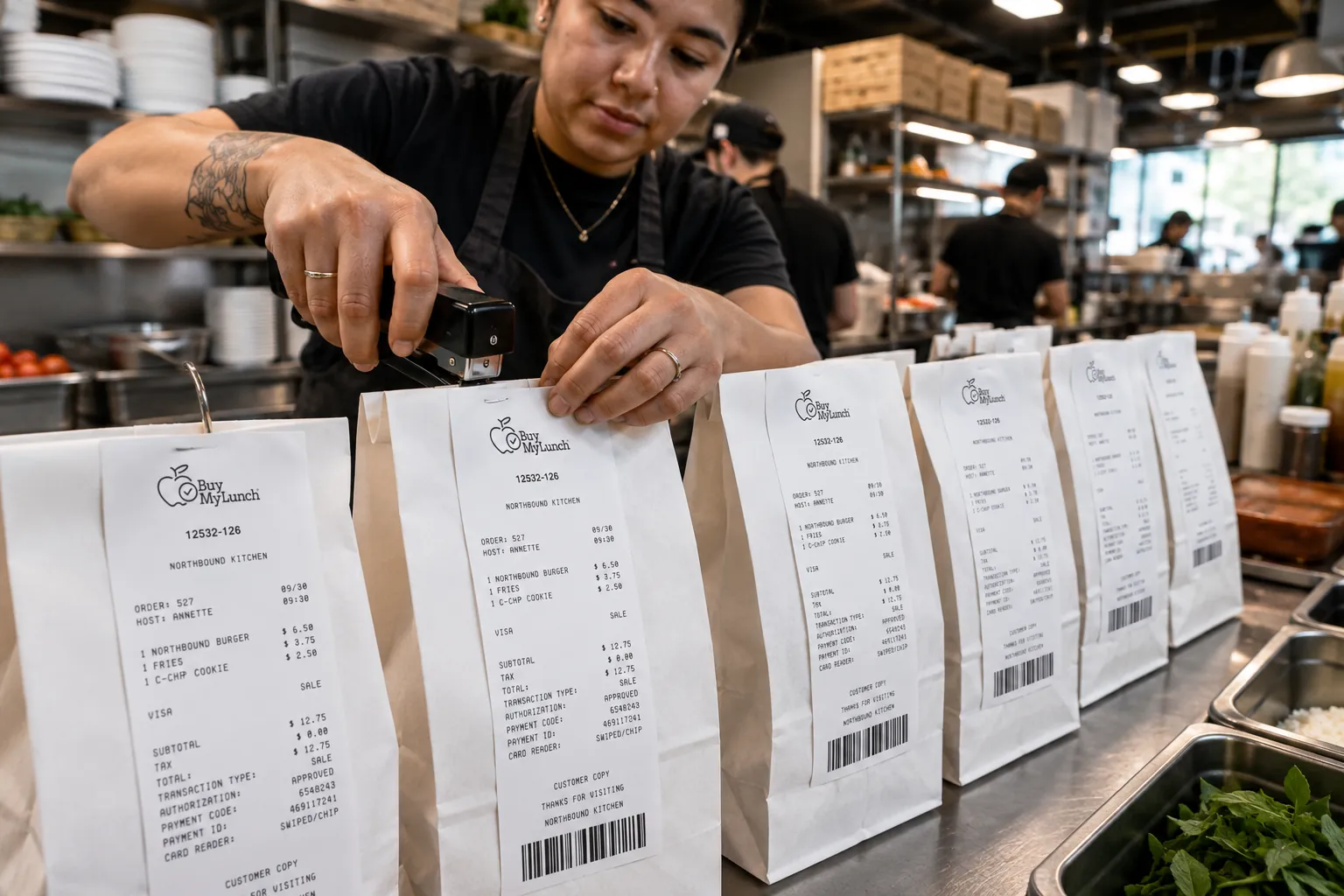
Back-to-school lunch launch is not the week to discover that the roster is wrong, the cutoff is unclear, the restaurant has the old delivery door, and half the parents think ordering opens next Tuesday.
That is how a good lunch program starts feeling messy before the food even arrives. The menu may be strong. The restaurants may be ready. Families may be interested. But if the operating pieces are not settled before ordering opens, the school becomes the help desk, the traffic controller, and the lunch detective. Nobody needs "lunch detective" added to a July job description.
A back-to-school lunch program checklist should do one job: move decisions out of launch week. Administrators need the calendar, ordering rules, roster structure, restaurant prep details, labels, delivery handoff, and parent message ready before families are invited in.
Start with the real launch date
The first lunch delivery date is not the real launch date. The real launch date is the day families can start ordering. That is the moment parents form their first impression of the program, and it is the moment unclear setup turns into support questions.
Work backward from that date. Confirm when menus need to be visible, when orders should close, when restaurants need final counts, when labels are prepared, who receives delivery, and when school staff need the daily roster. A lunch program is calmer when each group knows its deadline before the first parent clicks order.
USDA's back-to-school school meals resources are aimed at federal program operators, but the timing principle applies to any school lunch model: the road ahead needs planning before students return. USDA back-to-school resources point program operators toward menu planning, nutrition education, and school meal promotion resources before the school year is in motion.
Lock the calendar before the menu gets exciting
Menus are the fun part. Calendars are the part that prevents emails with the subject line "Quick question about tomorrow???" at 8:41 pm.
Before menus open, confirm the first lunch day, holidays, minimum days, field trips, professional-development days, testing days, grade-specific exceptions, and any lunch days that should not accept orders. If one grade has orientation while another grade has regular lunch, the system needs to know that before parents see the menu.
A practical calendar review should answer four questions: which dates are active, which students can order on those dates, which restaurants serve each date, and when each date closes. If the calendar is fuzzy, everything downstream gets fuzzy too.
Launch checklist
- Confirm the school calendar, lunch dates, blackout dates, and first order window.
- Set ordering cutoffs before menus open to families.
- Clean up student rosters, grades, homerooms, teachers, staff orders, and Buyer IDs.
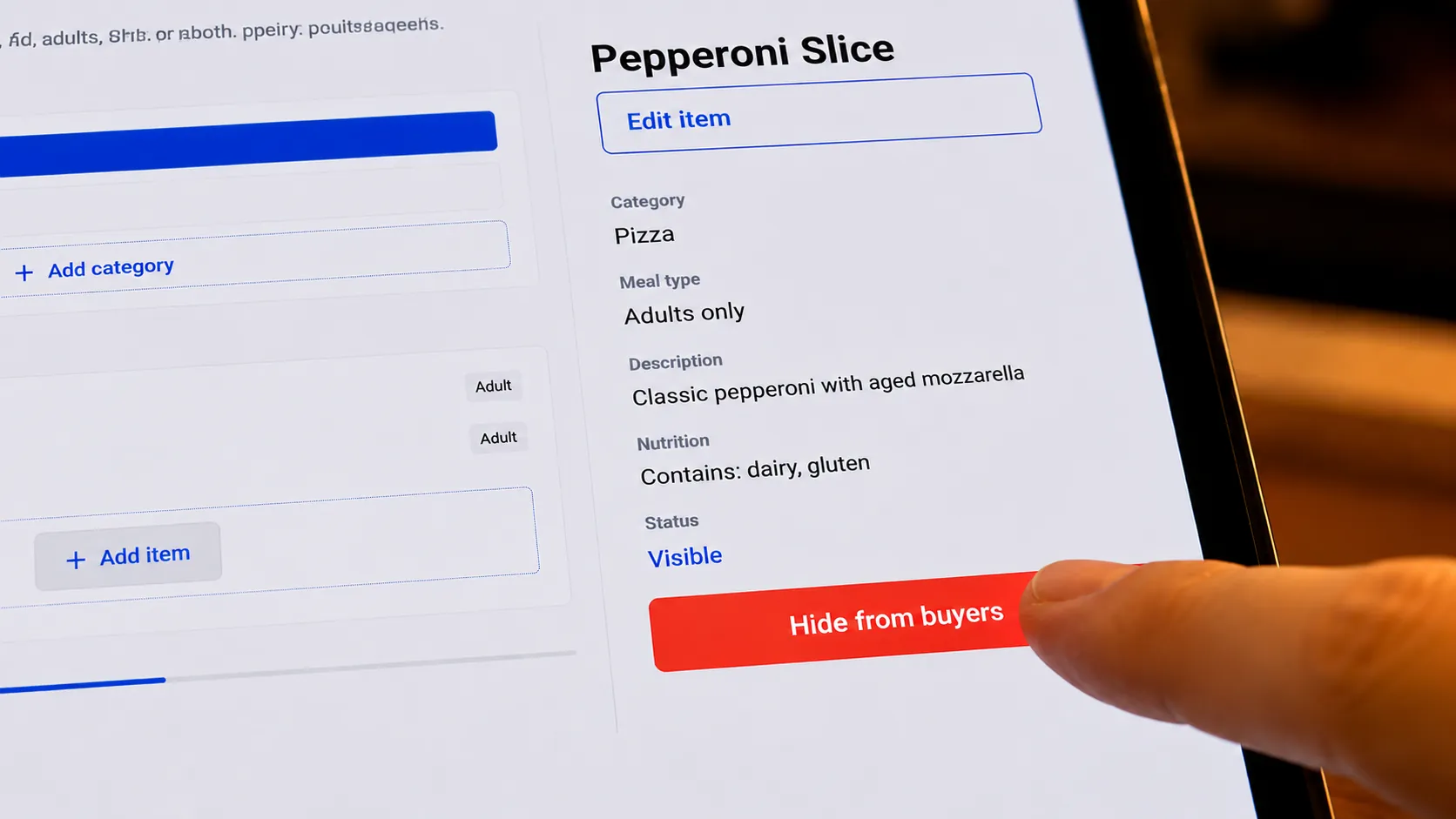
- Review menu names, descriptions, prices, availability, and restaurant prep notes.
- Decide where delivery lands and who owns the handoff table.
- Write one parent message that explains how ordering works, when orders close, and who to contact.
- Run a first-week review so the second week is smoother than the first.
Set cutoffs that restaurants and parents can live with
Cutoffs are not just software settings. They are promises. Parents need to know when ordering closes. Restaurants need time to prepare accurate counts. Schools need a reliable view of what is coming before delivery.
If cutoffs are too loose, restaurants absorb the scramble. If cutoffs are too confusing, parents miss them and ask the school to make exceptions. If cutoffs vary without explanation, the front office gets dragged into enforcement.
The cleanest rule is the one families can repeat. Put the cutoff in the parent launch message, in reminder language, and anywhere the school explains lunch. Then keep the first few weeks boringly consistent. Boring is underrated. Boring gets lunch delivered.
Create one owner map
The fastest way to create lunch confusion is to make everyone partly responsible for everything. Schools should decide, in plain language, who owns each part of the launch. One person or team owns the school calendar. One owns roster updates. One owns parent communication. One receives delivery. One restaurant contact owns prep questions.
The owner map does not need to be formal or dramatic. It just needs to stop the shrug. When a parent asks about a missed cutoff, where does that question go? When a restaurant needs clarification on a menu item, who answers? When a bag arrives without a clear label, who decides the next step? If those answers are settled before the first lunch week, the launch has less room to drift into group chat archaeology.
Clean the roster before labels depend on it
Roster cleanup is the most unglamorous launch task and one of the most important. Lunch distribution happens in the real school day, not inside a spreadsheet. The roster should match how staff will actually sort meals: grade, homeroom, teacher, advisory, campus, staff orders, or whatever structure the handoff table uses.
This is where small fields matter. A missing teacher name may look harmless until a volunteer is trying to route thirty lunches during a crowded period. A student name that appears twice may be fine in the office system but awkward on a lunch label. A Buyer ID, student identifier, or other school-approved reference can give the handoff team one more way to match an order without guessing.
Administrators should also decide how roster changes will be handled after launch. New students, class changes, staff orders, and withdrawn students should have a clear update path. Otherwise, the system starts accurate and slowly drifts into folklore.
Review menus like an operations person
A school lunch menu has to do more than sound delicious. It has to survive ordering, restaurant prep, packaging, labeling, delivery, and a rushed handoff.
Review item names from a parent's point of view first. Is the choice clear? Can families tell what is included? Does the wording create repeated ingredient questions? Then review the same menu from the restaurant side. Are modifiers clear? Are quantities predictable? Are packaging notes realistic for delivery?
Menu planning also intersects with nutrition expectations, especially for schools that participate in federal meal programs or communicate against those standards. USDA notes that updates to school nutrition standards are being phased in over time, with some required changes beginning in school year 2025-26 and later. USDA school nutrition standards updates are not a template for every private restaurant lunch program, but they are a useful reminder that families are paying closer attention to what lunch programs offer.
Decide what labels must show
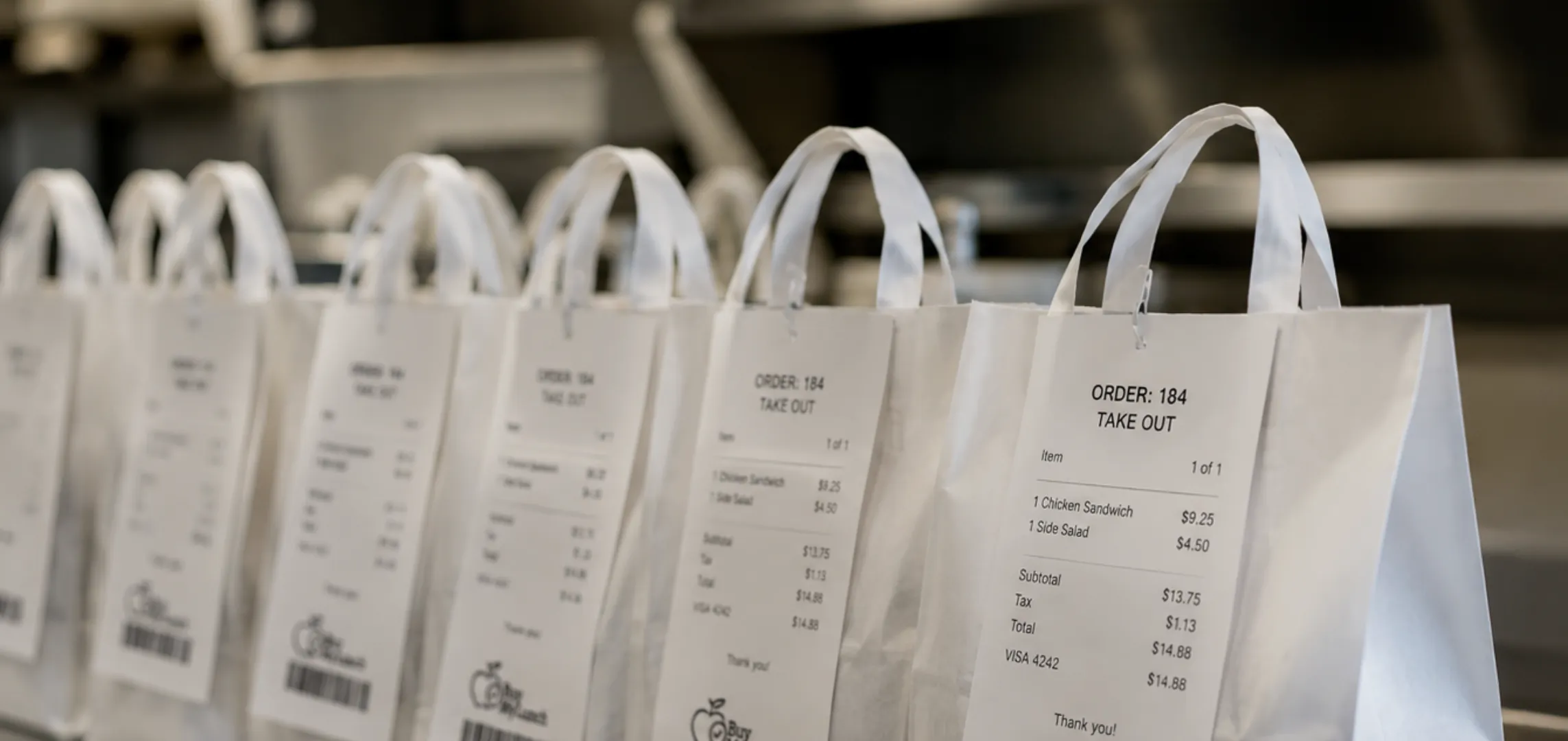
Labels are the bridge between the kitchen and the school day. They should include enough information for the handoff team to sort meals quickly without turning every bag into a student data poster.
A useful label plan usually answers these questions: whose meal is it, which grade or homeroom should receive it, what item was ordered, whether there are important modifiers, and how the school should handle staff orders. If the school uses Buyer IDs or another student-linked reference, decide where that belongs before launch.
Allergy and ingredient questions need a clear process too. The FDA explains that major food allergens must be identified on packaged food labels when they are used as ingredients. FDA food allergy guidance is broader than school lunch delivery, but the operational takeaway is simple: parent questions about ingredients should have an agreed path, not a hallway conversation during arrival.
Give restaurants the prep view they need
Restaurant partners need more than "we have lunch on Wednesday." They need final counts, item detail, modifiers, packaging notes, delivery timing, school contact information, and the expectation for how meals should arrive.
This is also where schools should confirm who handles day-of questions. If a restaurant notices a count issue or a delivery delay, who receives the call? If the answer is "probably whoever answers the phone," the plan is not finished.
The broader school meal environment is already under pressure. In its 2026 position paper, the School Nutrition Association reported widespread cost, labor, equipment, and unpaid meal debt challenges among meal program directors. SNA's 2026 position paper focuses on school meal programs broadly, but the signal is relevant for any school launch: operations need to be easy to run because staff capacity is not infinite.
Plan the handoff table before the first delivery
The handoff is where all the planning either pays off or starts heckling you. Decide where delivery lands, who receives it, how meals are counted, where they are sorted, and how students or classrooms get them.
The handoff plan should be specific enough that a substitute staff member could follow it. "Bring lunch to the office" is not a plan. "Driver checks in at the front desk, bags move to the cafeteria side table, orders are sorted by homeroom, and the school contact checks count against the daily roster" is closer.
During the first week, watch the friction. Did meals arrive at the wrong door? Were labels easy to read? Did one grade need a different sorting method? Did parent questions cluster around the same issue? That feedback is the launch doing its job. Fix the pattern before it becomes the normal way lunch works.
Write the parent message before parents ask
Parent communication is not an afterthought. It is part of the launch system. If families do not understand where to order, when orders close, how credits work, or who to contact, the school will answer the same questions one family at a time.
A clear parent message should be short enough to read and specific enough to act on. Tell families when ordering opens, where to order, which students are included, when orders close, what happens if a student is absent, how ingredient questions should be handled, and who can help if they get stuck.
This is where your July-to-August timing makes sense. In July, the school needs administrator-facing setup content. In late July and August, families need plain-language onboarding content: how online lunch ordering works, what to expect during the first week, and how to choose meals kids will actually eat.
Where Buy My Lunch fits
Buy My Lunch is built around the three groups that have to make school lunch work: families order, restaurants prepare, and schools manage the handoff. The system connects menus, ordering windows, restaurant counts, roster details, labels, delivery coordination, and parent support into one operating flow.
For administrators comparing options, the school-facing path starts with online lunch ordering for schools, then extends into school lunch software, school lunch provider, and lunch programs for schools depending on what the school is trying to solve.
The goal is not to make lunch feel more technical. The goal is to make the first family order, first restaurant count, first delivery, and first student handoff feel less like everyone is inventing the system in real time.
Use the first week as a review window
A launch checklist is not finished on the first delivery day. The first week should produce a short review: what questions did parents ask, what did restaurants need clarified, where did sorting slow down, what did labels miss, and which deadline needs stronger communication?
Keep the review practical. Do not turn it into a committee epic. Pick the two or three changes that will make next week easier, fix them, and communicate anything families need to know before the next order window.
The best back-to-school lunch launch is not perfect. Perfect is a myth with nicer stationery. The best launch is clear enough to run, specific enough to improve, and calm enough that the school can focus on students instead of chasing missing sandwiches.
Frequently asked questions
When should a school set up its lunch ordering system?
A school should set up lunch ordering before families are invited to order, ideally while administrators still have time to confirm calendars, rosters, cutoffs, menus, delivery contacts, and parent communication. Waiting until the first lunch week usually pushes setup decisions into the busiest part of the launch.
What should administrators check before lunch ordering opens?
Administrators should check lunch dates, order cutoffs, student roster details, homerooms, grade filters, staff ordering rules, menu availability, restaurant prep needs, delivery location, labels, cancellation rules, and the parent message that explains how ordering works.
Why do rosters matter for school lunch ordering?
Rosters connect family orders to the real school day. Grade, homeroom, teacher, staff, and student identifier details help schools sort meals and hand them to the right person without relying only on memory or paper lists.
What should schools tell parents before lunch ordering starts?
Schools should tell parents where to order, when the order window opens, when orders close, which students are eligible, how cancellations or credits work, how allergy or ingredient questions should be handled, and who to contact if they need help.
How should a school handle the first week of lunch?
The first week should be treated like a launch, not a normal week. Schools should confirm delivery contacts, compare expected counts with arriving meals, watch where sorting slows down, track repeated parent questions, and adjust communication or handoff steps before the next order cycle.
Can Buy My Lunch help schools onboard families?
Yes. Buy My Lunch gives families a place to order, gives restaurants order counts and prep visibility, and gives schools the roster, label, delivery, and handoff structure needed to make parent onboarding less scattered.
Related posts
 School Lunch OperationsSchool Lunch Payment Integration: What Schools Should Ask
A practical guide to connecting school lunch ordering and payment without leaving families, staff, or restaurant partners to reconcile lunch-day loose ends.
School Lunch OperationsSchool Lunch Menu Template for a Real School DayA practical school lunch menu template that helps schools and restaurant partners plan clear choices, ordering cutoffs, prep, delivery, and a reliable handoff.
 School Lunch OperationsCan You Get Food Delivered to School? What Parents Need to Check
Can food be delivered to school? Usually only when the school allows it. Check the policy questions parents should answer before ordering lunch.
 School Lunch OperationsMeal Packaging for School Lunch Programs: A Delivery Checklist
A practical school lunch packaging checklist for choosing containers, labels, bags, and delivery setup that protects each meal through school handoff.