 Account
For parents
Lunch orderhelp.
Need help with your child's lunch? Check delivery updates, contact Support, or get ready for the next order.


Restaurants tag each order with the student's Buyer ID before delivery.
Orders close ahead of delivery so restaurants prep against real counts.
Parents can contact Buy My Lunch through the app when something needs attention.
Restaurants receive the details needed to prepare and label orders, not student names.
Quick walkthrough
SEE THE APP IN ACTION.
What this video covers

Getting lunch set up takes about two minutes. Jordan shows how to create an account, add your student, browse local restaurants, place orders, and let Buy My Lunch handle the rest.
Read transcript

Jordan gives a quick walkthrough of the Buy My Lunch parent experience.
She starts by showing how to create a family account and add a student, including their school and grade. From there, parents can browse participating restaurants, view menus, and order lunches for tomorrow, next week, or even further ahead.
The ordering process works like any other online purchase. Simply add meals to the cart, check out, and any available wallet credit is applied automatically.
After an order is placed, meals are prepared by local restaurants, packed individually, labeled for each student, and delivered to school with utensils included.
The video ends with a simple takeaway: ordering lunch with Buy My Lunch is quick, straightforward, and easy to manage.
Account setupFirst things first. Make it official.
First things first. Make it official.
- Download the app or log in on the website.
- Create your account with real contact info.
- Add your student or students.
Profile, then Add. - Select their school, grade, and teacher.
- Press Save. Yes, actually press Save.
That is it. You are officially lunch-enabled.
Ordering lunchThis part takes about a minute.
This part takes about a minute.
- Go to Home.
- Select your student.
- Pick a date.
- Choose a restaurant.
- Browse the menu.
- Add items.
- Checkout.
Any credit in your Wallet applies automatically. No math required. You can order one day ahead or up to a month in advance.
Orders close 24 hours before delivery.
Tomorrow's lunch locks today.
Delivery & packagingHere is what happens next.
Here is what happens next.
- Meals are individually packaged.
- Labeled with your student's Buyer ID.
- Utensils included.
- No drinks.
You will get notifications when:
- The restaurant is out for delivery.
- The school has handed the meal to your student.
You stay in the loop without calling the front office.
SustainabilityThe best lunch is the one they actually eat.
The best lunch is the one they actually eat.
Every parent knows the feeling. You pack a lunch or pay for a meal, and half of it comes home untouched.
Buy My Lunch gives students more choice, which can make it easier for families to choose meals their kids will actually eat.
Better planning. Less guesswork. Better lunch.
Cancellations & creditsPlans change. We get it.
Plans change. We get it.
- Cancel by 11 am the day before delivery.
- You will receive a credit in your Wallet for future orders.
Simple. No awkward emails.
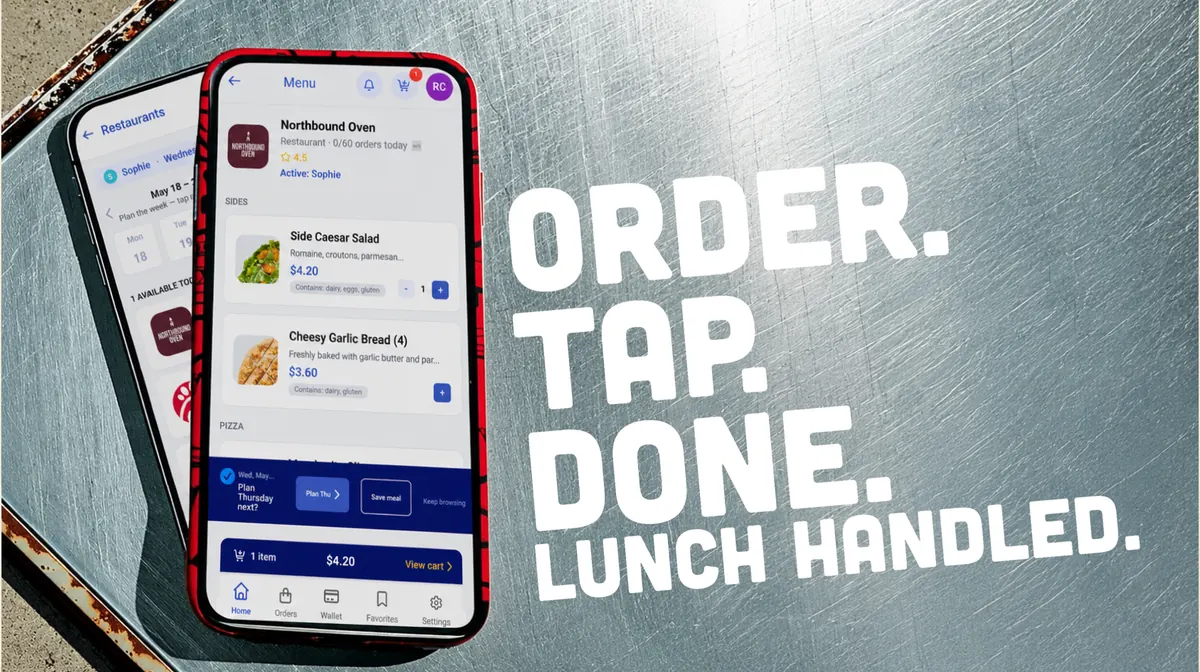
Traditional school lunches are made in bulk. Buy My Lunch is made to order. Ordering by noon the day before gives our restaurant partners time to prepare fresh meals, buy only what they need, and reduce food waste. Everybody wins.
FAQs
Parent questions. Straight answers.
What happened to my lunch order?
If you have a question or issue with an order, head to the Support tab in the Buy My Lunch app and send us a note. Our team can see the details, follow up with the restaurant if needed, and help get things sorted.
How do I get my school signed up for Buy My Lunch?
Send us your school name and contact info. We will help connect the right school contact with the Buy My Lunch team and explain what setup looks like. Reach out to our team for a sample menu at info@buymylunch.com.
Can parents suggest restaurants?
Yes. Tell us the local spots your family already trusts. We will review them and reach out when they are a fit for your school.
How does Buy My Lunch reduce waste?
Meals are ordered before they are made. That means restaurants prepare against real counts, not guesses.
How are meals labeled?
Restaurants print and tag each individual meal before delivery. Meals are labeled with the student's Buyer ID so the school can match the order during handoff.
How do credits or refunds work?
When a credit is issued, it is posted to the student account and can be used for future Buy My Lunch orders.
How are allergens handled?
Restaurants post allergy indications on menu items when provided, and student accounts can include allergy notes. Parents should review menu details before ordering and must sign the required allergy waiver. Mistakes can happen, so families remain responsible for choosing meals that fit their child's needs.
Who should parents contact if there is an issue?
Head to the Support tab in the Buy My Lunch app and send us a note. Our team will review the issue, work with the restaurant when needed, and adjust any credits to your family account when appropriate.
Can restaurant options change during the year?
Yes. Schools can refresh their restaurant lineup during the year, usually around natural breaks like a semester change.